DCO01 → oscillate
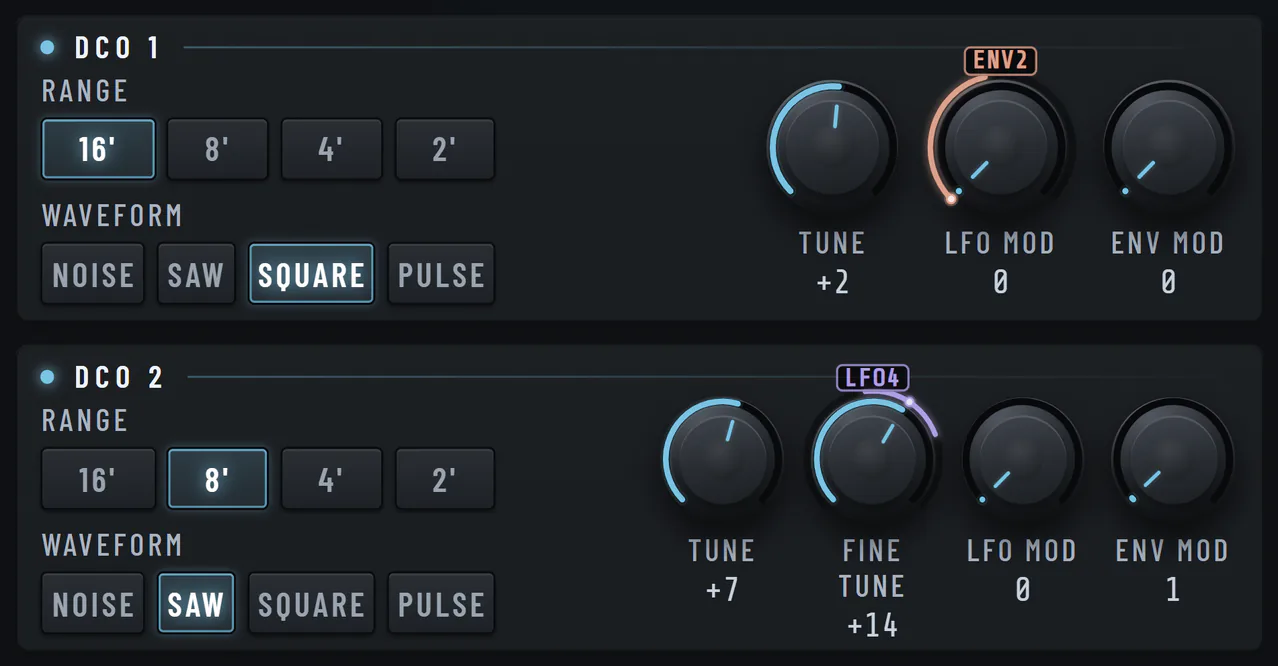
Two oscillators per tone. Range, wave, tune, sync.
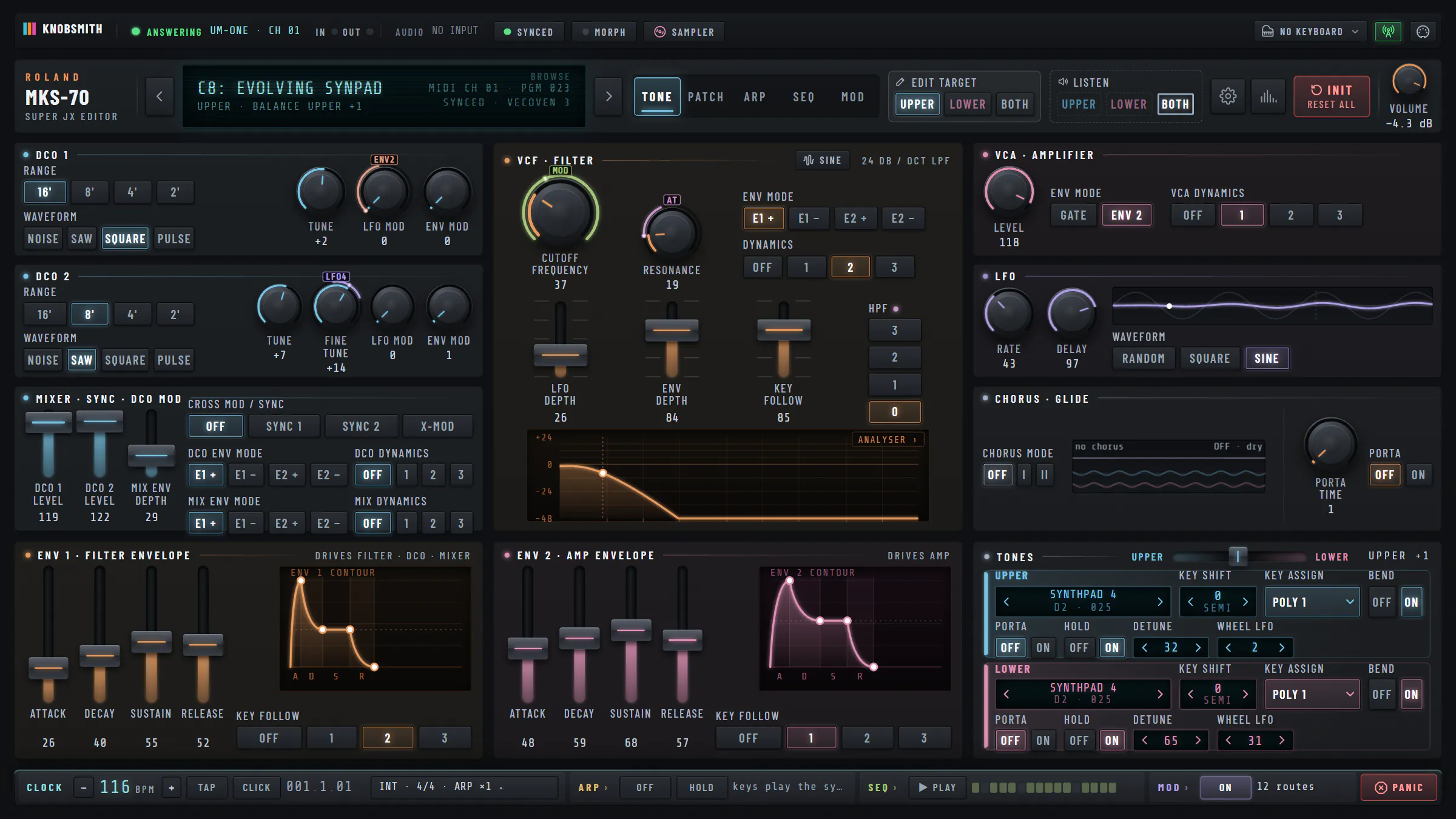
Your MKS-70, fully hands-on. Every parameter, live over MIDI.
Super JX: MKS-70 · JX-10
Two oscillators per tone. Range, wave, tune, sync.
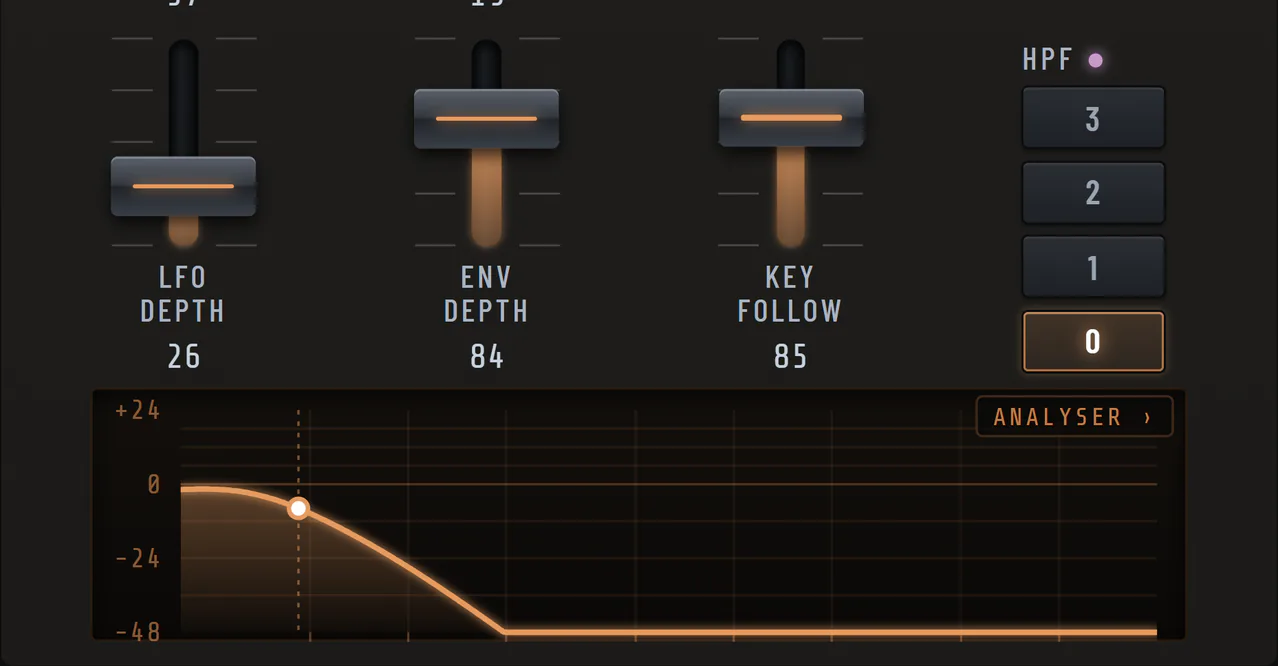
Cutoff, resonance, envelope. Drawn as it moves.
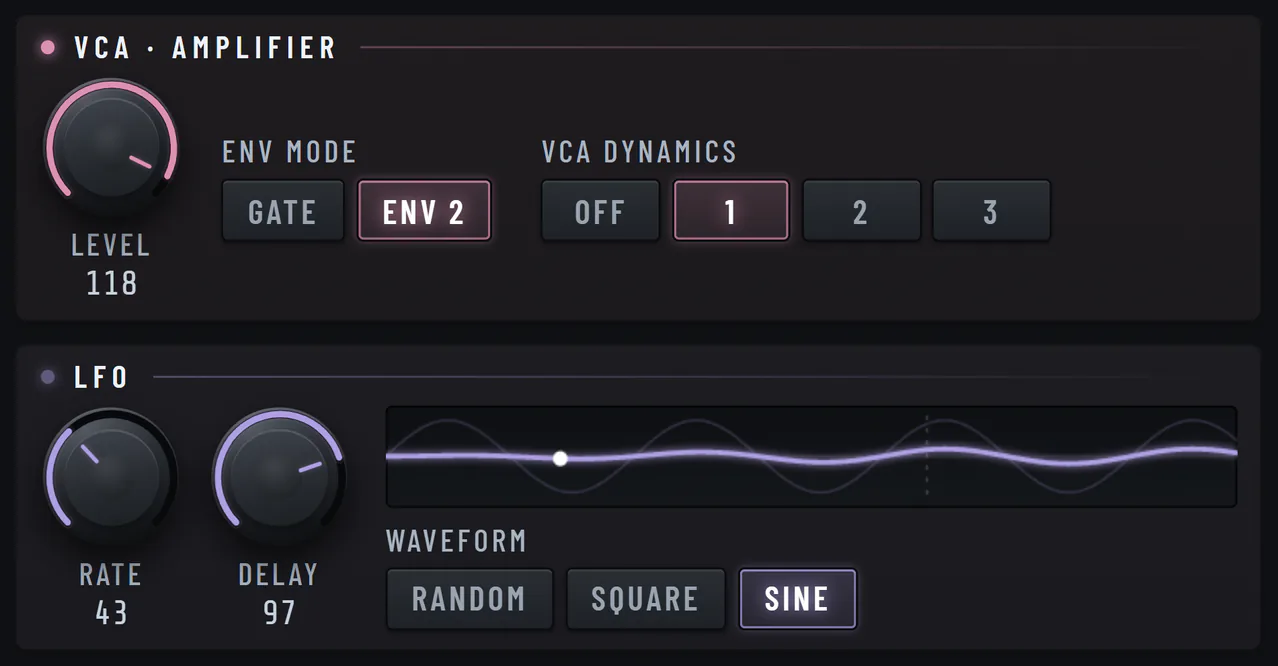
Level, dynamics and the LFO, by hand.
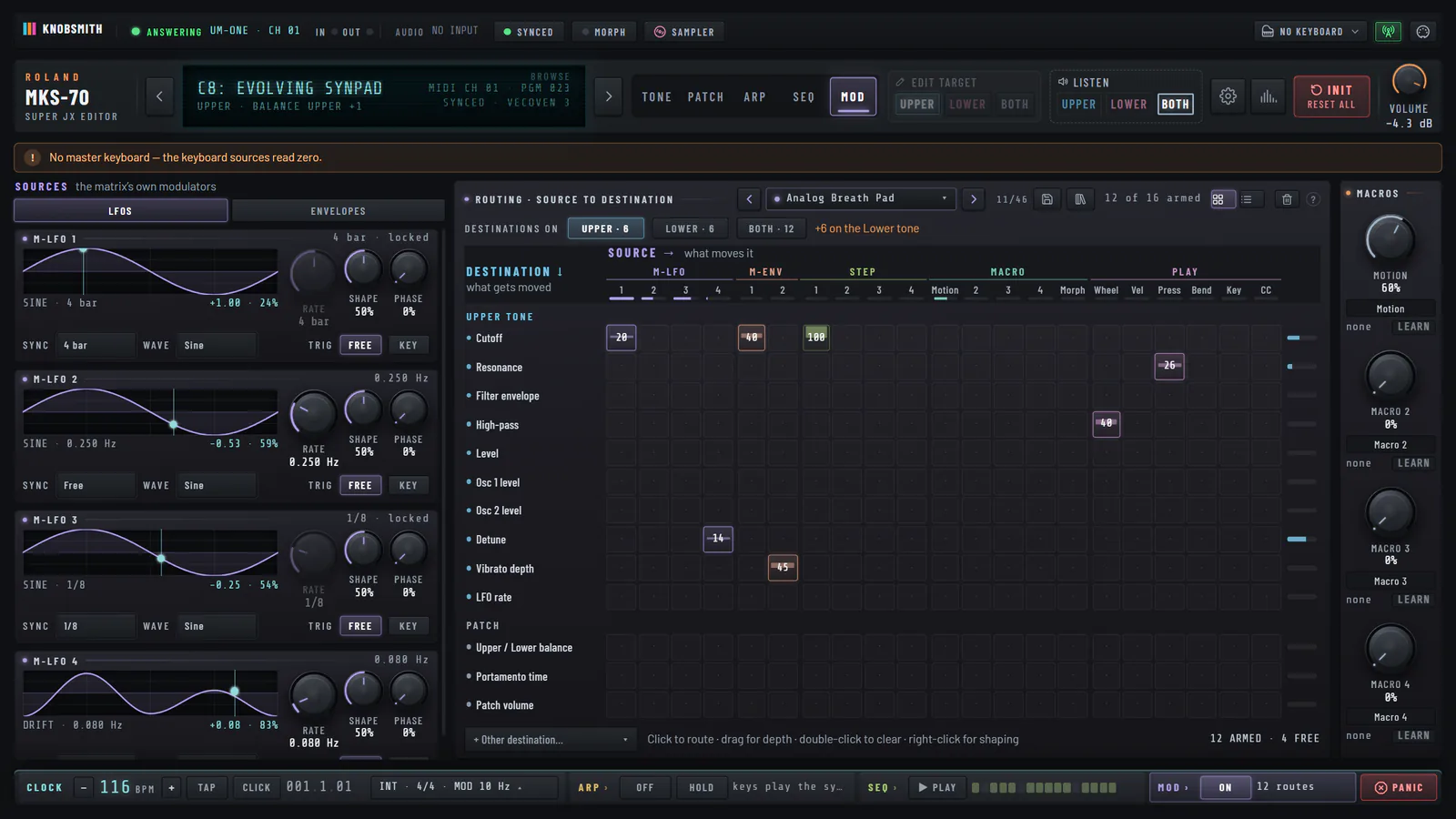
Four LFOs, two envelopes, step sources, macros and your hands — on any parameter, locked to the beat.
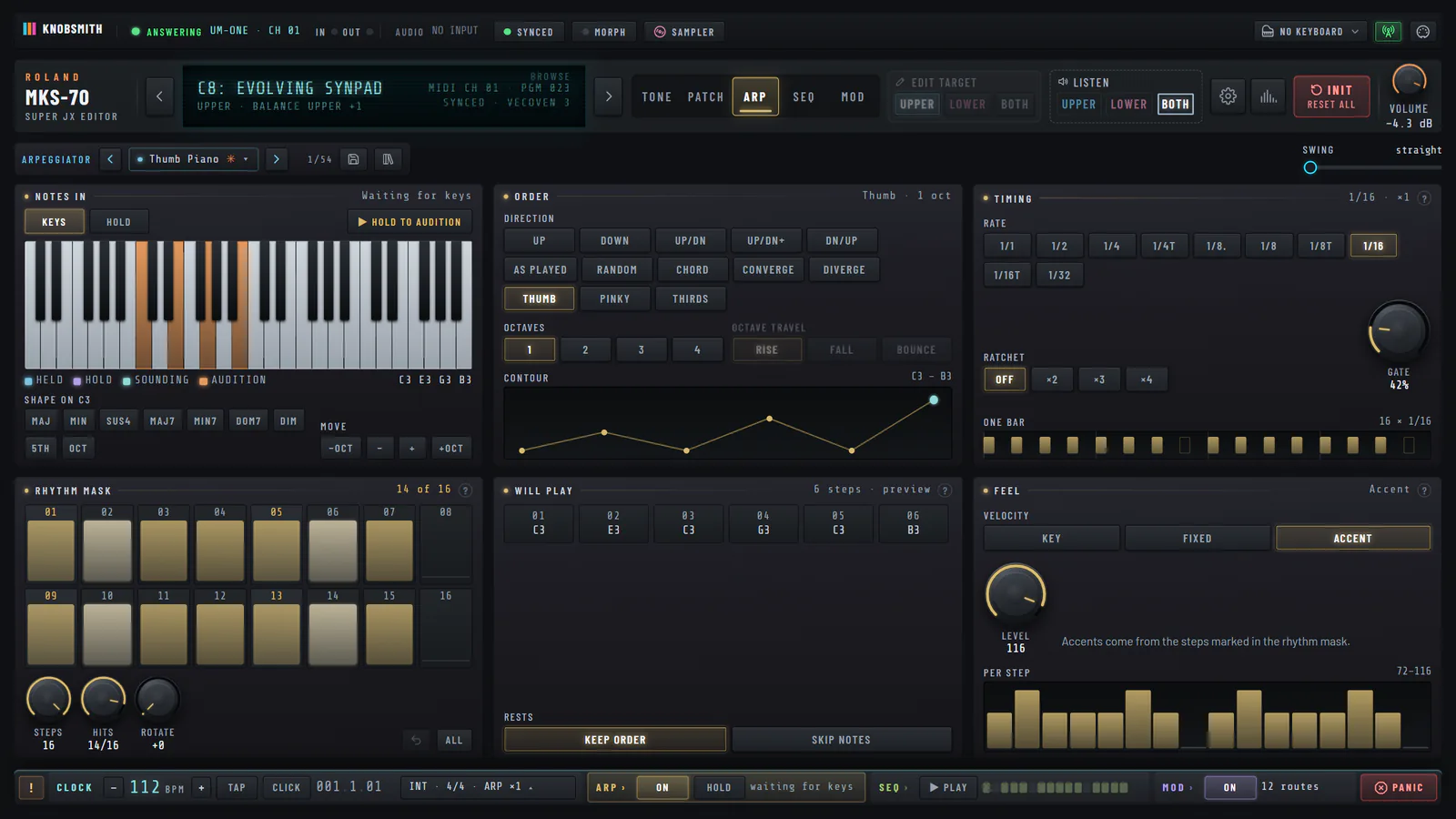
Thirteen figures, a rhythm mask and live Euclid, played from your keys on a steady clock.
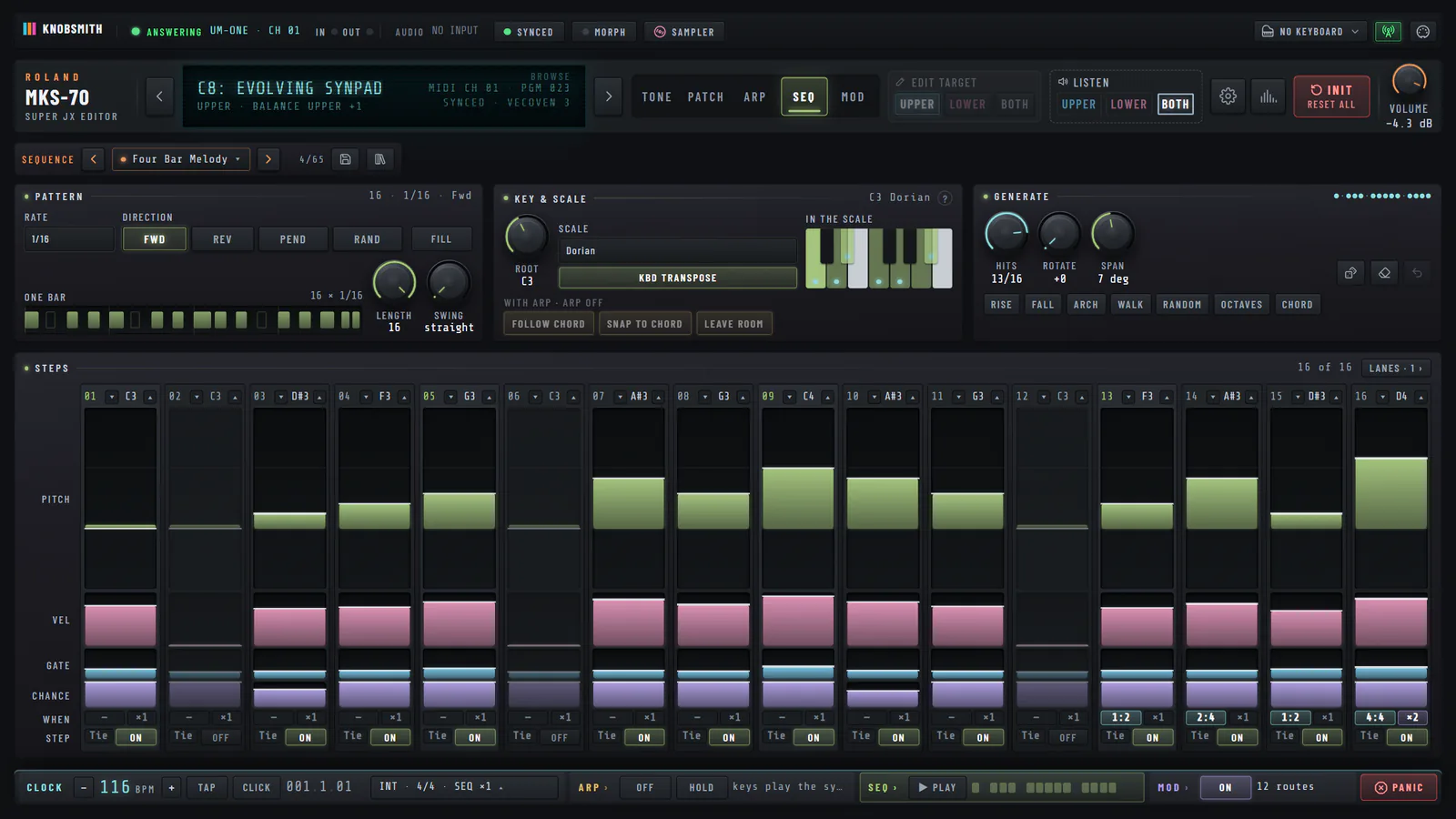
Velocity, chance and conditions on every step, and lanes that move the sound with the notes.
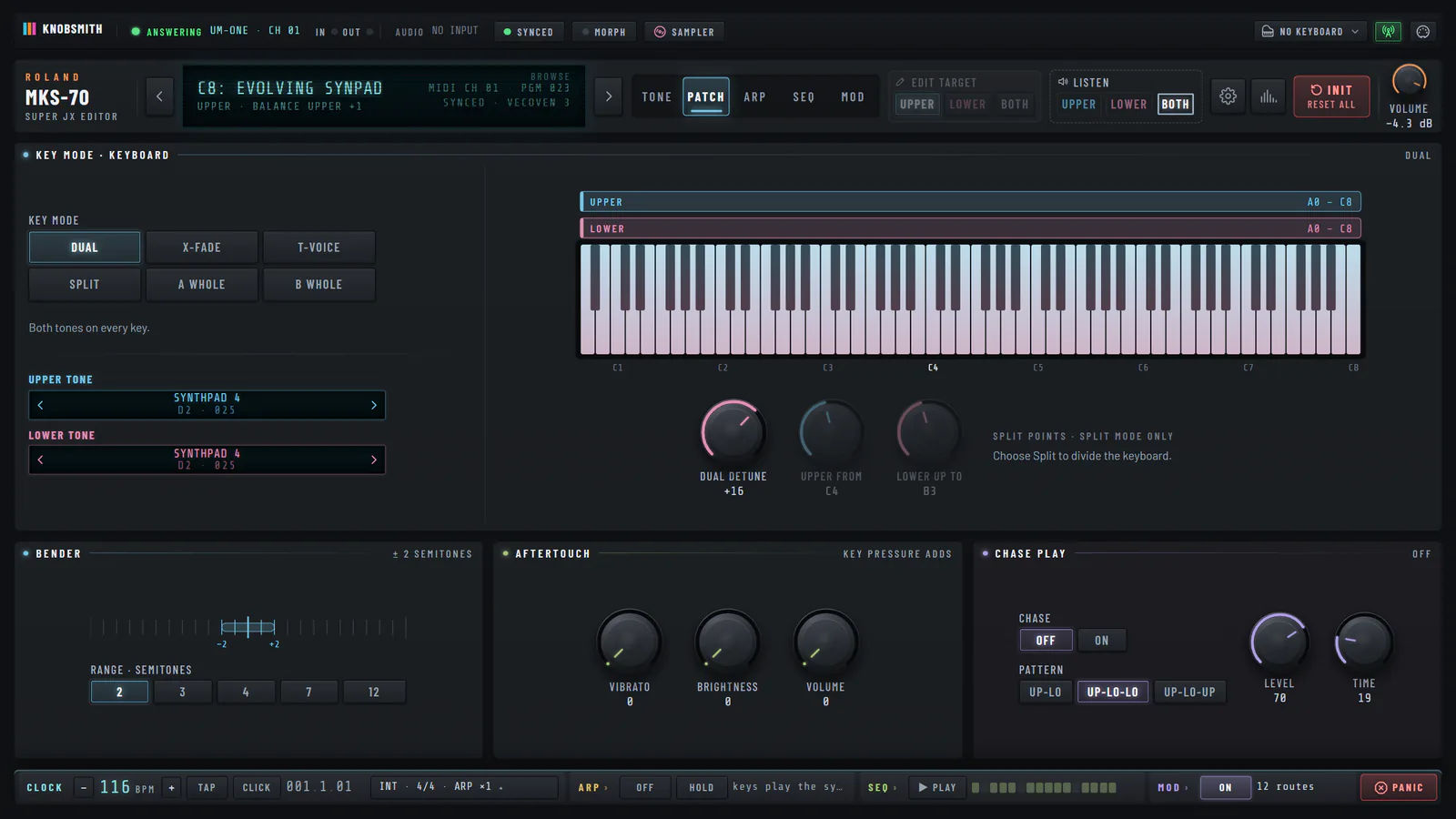
Key mode, split, bender, aftertouch and chase — the settings the front panel hides.
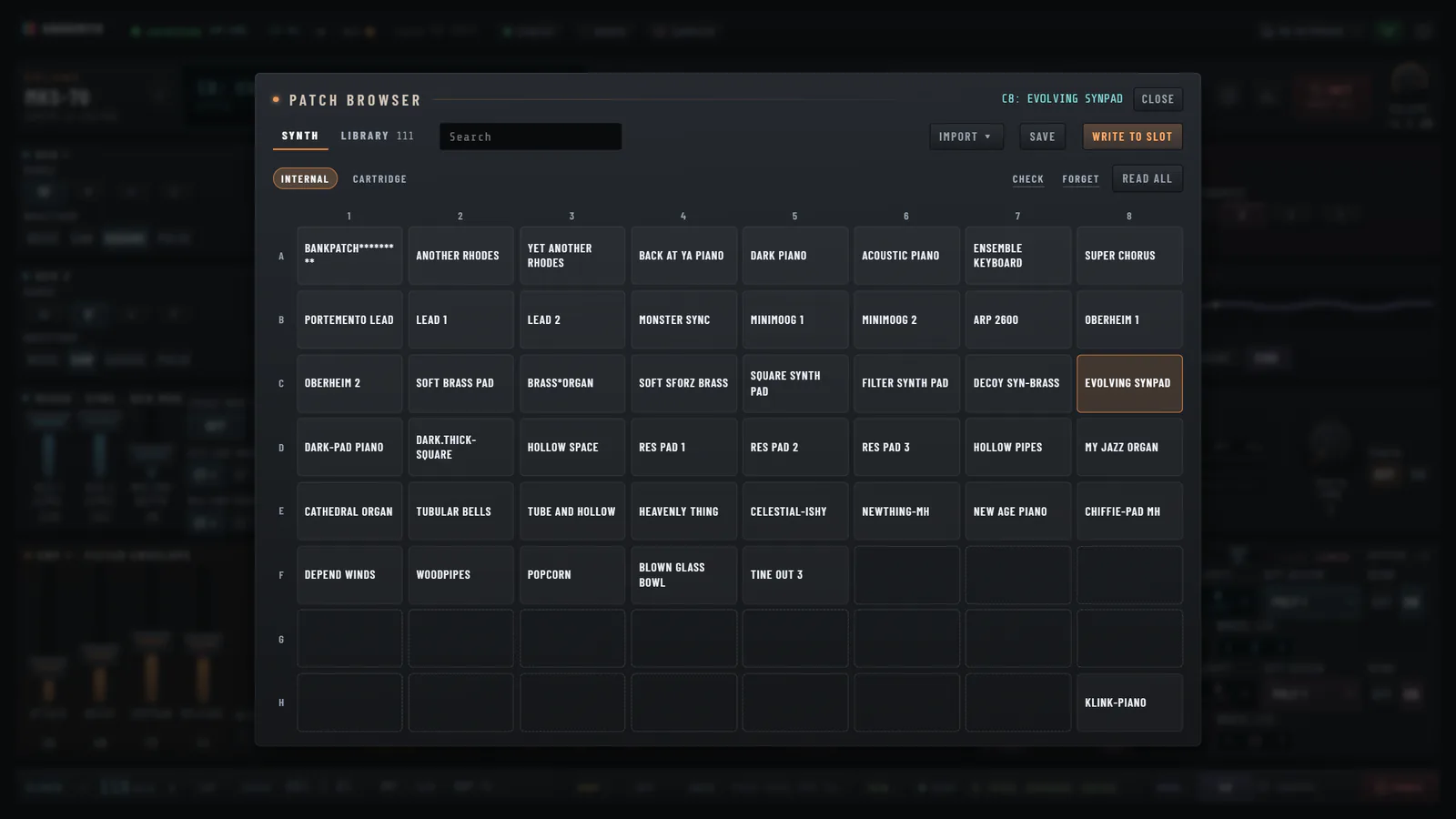
Reads your patches. Keeps them when the battery won’t.
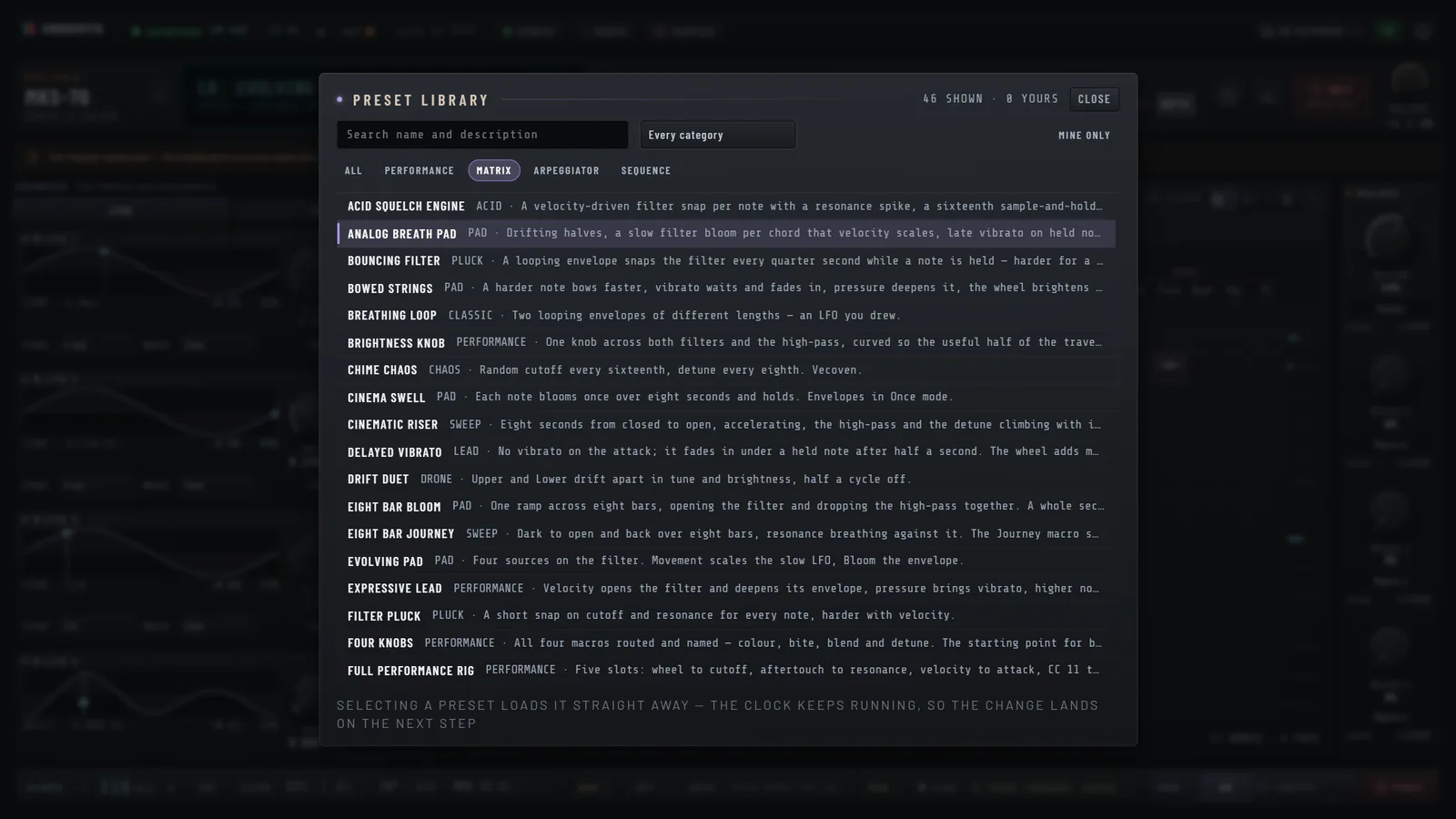
Over 180 factory designs for arpeggio, sequence and modulation. Load one and it plays.
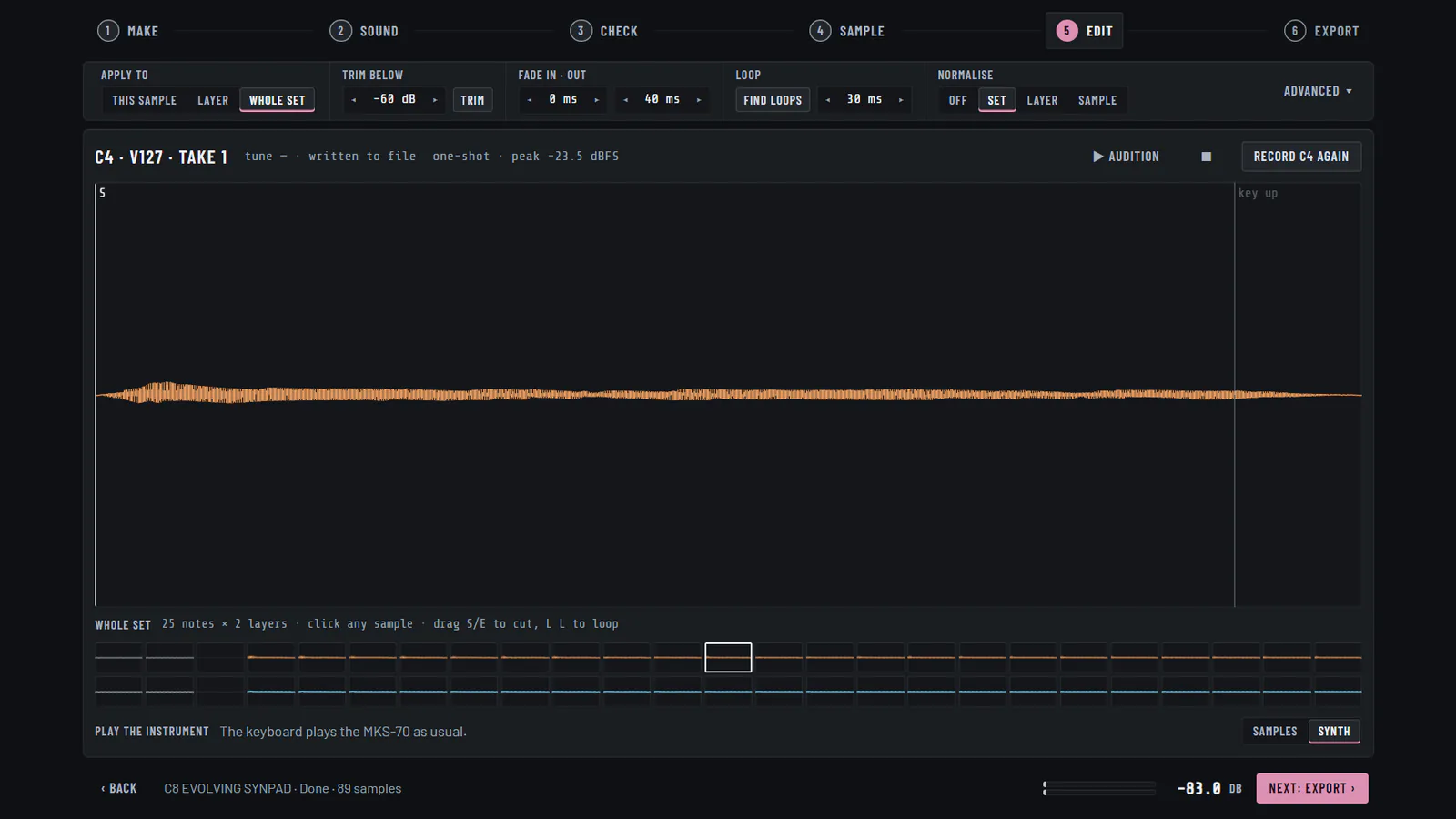
A guided run turns a patch into a playable instrument: it checks the level, decides the velocity layers, records over ASIO and cuts every take. SFZ, Decent Sampler, EXS24 and Bitwig, or loops cut to bars.
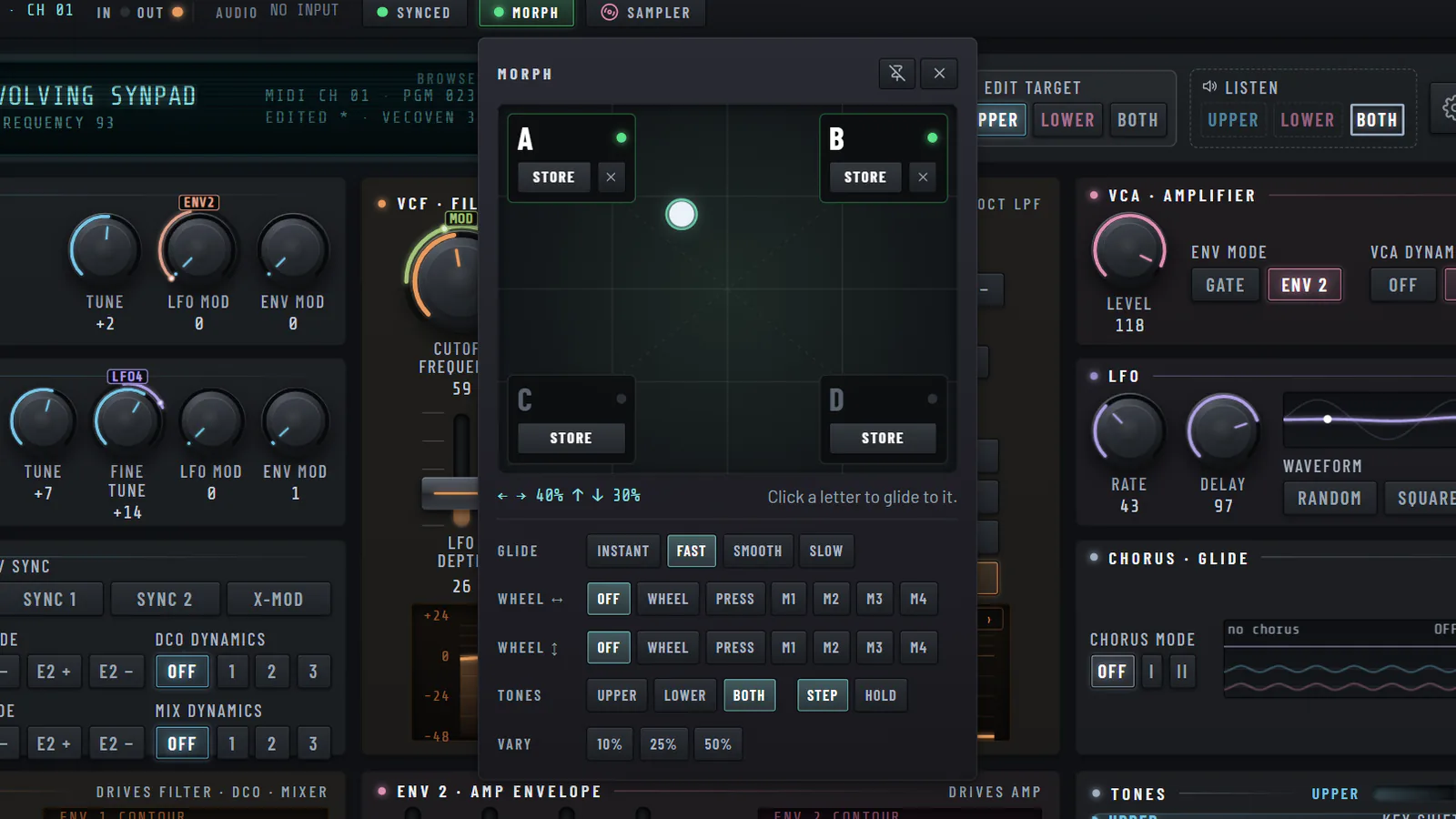
Four sounds on the corners of a pad. Drag the dot and the patch glides between them, by hand, with the wheel or in time.
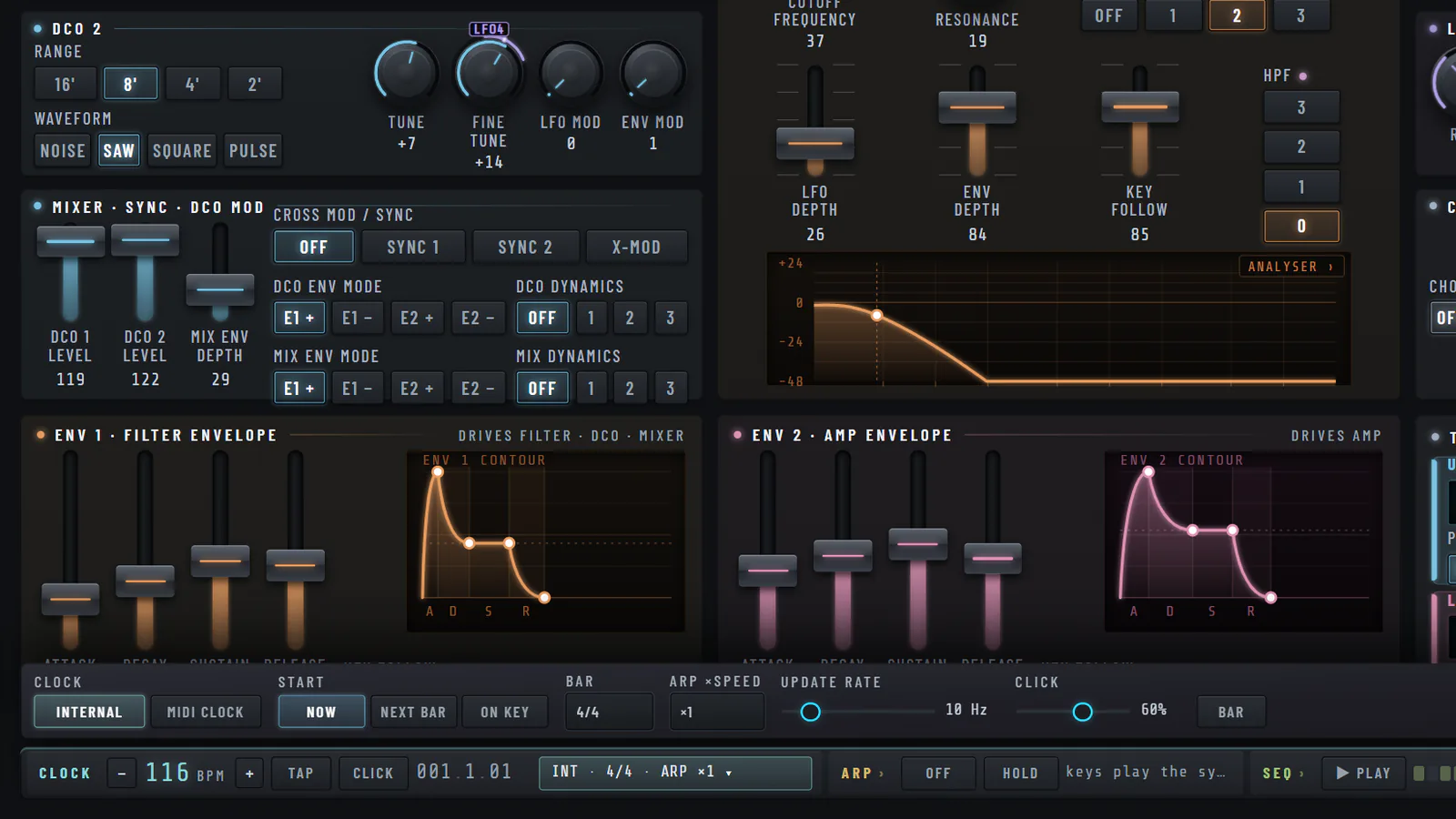
Its own tempo, or a MIDI clock in. The arpeggiator, sequencer and modulation stay on the beat.
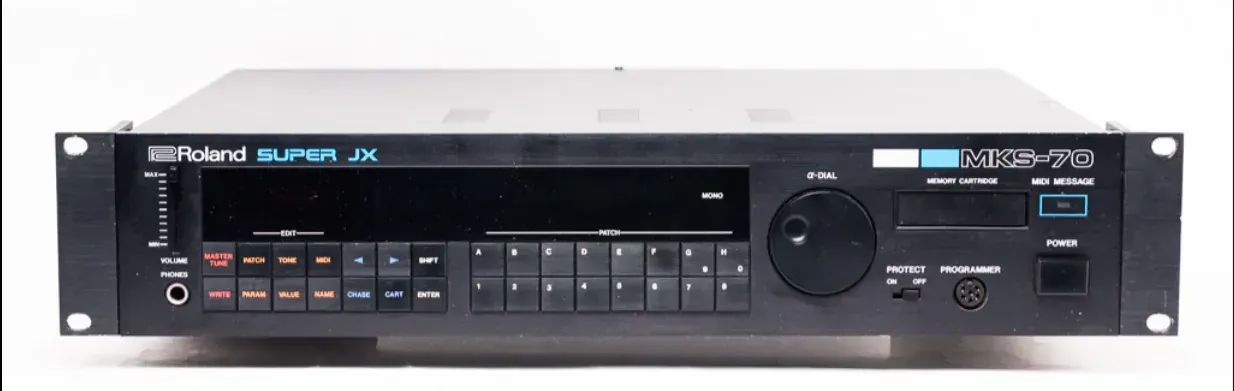
The Roland Super JX: rack and keyboard
Stock ROM
Edits go out as a complete tone block, read from the unit first.
Vecoven 3.x / 4.x
One parameter per message. 4.x — the PWM-board version — adds five more controls (not yet checked on a 4.x unit).
A MIDI interface: out to the synth, and in from it to read sounds back.
Windows 10 / 11, 64-bit.

Audio for the Sampler: any ASIO or WASAPI interface.
ASIO is a trademark and software of Steinberg Media Technologies GmbH.
Download, install and activate the MKS-70 Controller, connect your MKS-70 and load your first patch.
MIDI wiring, channels, choosing ports in the app, and sharing an interface with a DAW on Windows.
Original Roland ROM, Vecoven 3.x and Vecoven 4.x — how the app sends edits to each, and how to tell it which one you have.
Install the MKS-70 Controller plug-in, connect it to the MKS-70 and use it in Cubase, Ableton Live, FL Studio, Reaper, Studio One, Bitwig and Cakewalk.
MKS-70 Control · v1.3.2 · Windows
The MKS-70 Controller is being tested with owners of the instrument before its release. Sales open when the pilot ends, and the price is announced then.
No. This replaces it, and reaches every parameter the PG-800 does — and more.
Docs: Parameter reference
The MKS-70 has no MIDI command that writes to its own memory. Edits go to the edit buffer; to keep a sound on the unit, press WRITE on its front panel. Your library lives on your computer.
Docs: Library
Both. A stock ROM gets each edit as a complete tone block; Vecoven 3.x and 4.x get one parameter at a time. On 4.x the panel shows the five extra controls that firmware adds.
Docs: Firmware
The JX-10 is the keyboard version of the MKS-70 (both are the Super JX) and speaks the same protocol, so it should work. The controller has been tested on an MKS-70 only.
Docs: Getting started
It is coming: a VST3 instrument with the same panel, in final testing now. It will be a free update for every licence holder, with the same key and the same seat as the app.
Docs: In your DAW
Yes. The Sampler plays the unit, records what comes back on your audio input and writes WAV files with an SFZ and a Decent Sampler preset: one note, a chord, a pattern, or a whole multisample with velocity layers.
Docs: Sampler
An interface that Windows lists as a MIDI port, with a 5-pin DIN output to the synth; it has been tested with the Roland UM-ONE. To read sounds back — names and real knob positions — connect the synth’s MIDI OUT to an input too. Some drivers, such as Roland’s UM-ONE, allow one program at a time; the app can release its ports with one click.
Docs: Connecting
Once, to activate. After that it runs offline. Move a licence between computers from your account.
Docs: Licence and activation
Yes. Import single patches or whole dumps, keep them in the library, and send any of them to the synth.
Docs: Library
Windows 10 / 11 (64-bit) only, today. A Mac version is planned and is part of the pilot programme; join the list to hear when it is ready.